Day 4: Check link purpose on the Naughty and Nice List Viewer
The Department of Elfish Affairs has been reviewing the Naughty and Nice List Viewer, a tool used by Santa’s team to review behaviour records from across the year.
During testing, several elves reported that it was hard to understand where some links would take them - especially when navigating using a screen reader or viewing links out of context.
Your mission today
Check that links clearly describe their purpose.
Quick 5-minute check
- link text should describe the destination or action
- avoid vague text like
click here
ormore
- assume users may encounter links out of context
- surrounding text can help, but links should still be meaningful
Examine the Naughty and Nice List Viewer
Below is a simplified extract from the Naughty and Nice List Viewer. One link has a deliberate accessibility issue.
Naughty and Nice List
Show answers and explanation
Which link fails and why
The link for Buddy the Elf uses the text
Click here
.
When links are listed out of context - for example in a screen reader’s
links list - Click here
gives no information about what the link
does or where it goes.
What a better link looks like
A clearer link would describe the action or destination, such as:
- View behaviour record and include visually hidden text to announce which person
- View Buddy the Elf’s behaviour record
- Open behaviour record for Buddy the Elf
Eve Snowball and Holly Tinseltoe Frost already use descriptive link text, so their links make sense even when read on their own.
What this checks for
2.4.4 link purpose (in context) (opens in a new tab) - users must be able to understand what a link does from its text or surrounding context.
Why this matters
Screen reader users often navigate by listing links on a page.
If several links are called click here
, it becomes impossible to tell
them apart without extra effort.
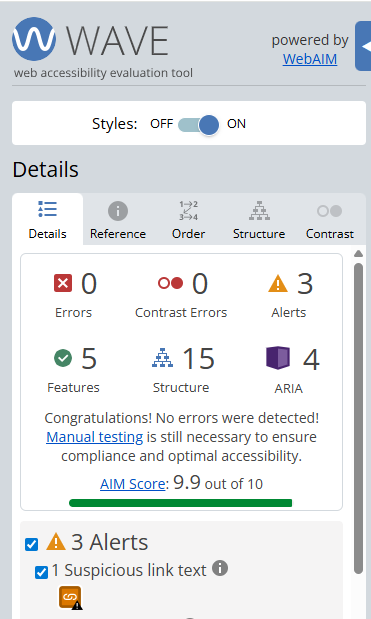
Finding this issue using the Web Accesibility Viewer for Elves (WAVE)
When WAVE is run on a page like this, it can highlight links with vague or repeated text.
WAVE helps flag potential problems, but you still need to decide whether the link text makes sense when read on its own.
Bonus challenge
Use a screen reader or browser tool to view a list of all links on the page. Can you immediately tell what each link does?