Day 5: Check keyboard access on the Gift Tracker
The Department of Elfish Affairs has received a report about the Gift Tracker, the system elves use to update toy progress and delivery status across Santa HQ.
Several elves have reported that parts of the tracker only work with a mouse. This creates barriers for people who rely on keyboards or alternative input devices.
Your mission today
Check that all interactive elements can be reached and used with a keyboard.
Quick 5-minute check
- use the Tab key to move through interactive elements
- use Shift + Tab to move backwards
- links, buttons and form controls must receive focus
- custom controls must be keyboard operable
Examine the Gift Tracker
Below is a simplified section of the Gift Tracker. One control has a deliberate keyboard accessibility issue.
Train set
Status: In production
One of these controls can be reached and activated using the keyboard. The other cannot.
Show answers and explanation
Which control fails
The control labelled “Mark as delayed by snow” cannot be reached or activated using the keyboard.
Why this is a problem
This control is built using a <div> with a mouse
onclick handler.
Because it is not a native interactive element (like a
<button>), it:
- does not receive keyboard focus
- cannot be activated using Enter or Space
- is invisible to many assistive technologies
What works correctly
The “Mark as ready for Christmas Eve” button uses a native
<button> element, so it:
- receives focus automatically
- works with keyboard and mouse
- exposes the correct role to assistive technology
In most cases, the fix is simple: use the correct HTML element instead of
recreating controls with <div> or <span>.
What this checks for
2.1.1 keyboard (opens in a new tab) - all functionality must be operable using a keyboard.
Why this matters
Many users cannot use a mouse. If interactive elements are not keyboard accessible, those users are completely blocked from completing tasks.
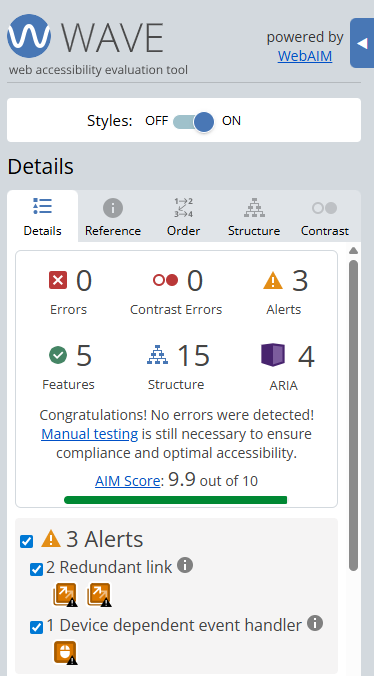
Finding this issue using the Web Accesibility Viewer for Elves (WAVE)
When WAVE is run on a page like this, it may highlight elements that look interactive but are not built using semantic HTML.
WAVE can help point you towards potential issues, but keyboard testing is essential. The fastest way to find this problem is to try using the Tab key yourself.
Bonus challenge
Try navigating this page using only your keyboard. Which control prevents you from completing the task?