Day 12: Check ARIA use on the Sleigh Launch Dashboard
Before Santa takes off, the elves run final checks on the Sleigh Launch Dashboard - fuel levels, reindeer readiness and Christmas spirit.
A developer elf has added ARIA in the wrong places. One control looks like a button and is announced like a button, but does not behave like one.
Your mission today
Identify the control that is not built correctly, even though it looks right.
Quick 5-minute check
- use native HTML elements wherever possible
<button>elements work without extra ARIA- ARIA roles do not add keyboard behaviour
- controls must work with Tab, Enter and Space
Test the Sleigh Launch Dashboard
One of the controls below is built correctly. The other behaves differently when used with a keyborad.
Pre-launch checks
One of these controls can be reached and activated using a keyboard. The other cannot - even though it is announced as a button.
Show accessibility issue
The Launch fuel scan control is styled to look like a button
and uses role="button", but it is not a native
<button> element.
ARIA roles do not add keyboard behaviour. Because this control is not built using a real button, it cannot be reached or activated correctly using the keyboard.
Finding this using the Web Accesibility Viewer for Elves (WAVE)
When you run
WAVE
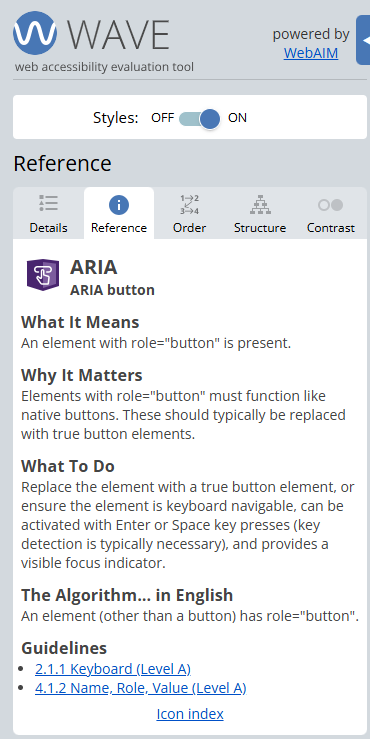
on this page, it highlights that one element has a
role="button" but is not a native button.
WAVE can flag the ARIA misuse, but it cannot confirm whether the control actually works with a keyboard. Manual testing is essential.
What this checks for
4.1.2 name, role, value (opens in a new tab) – interactive components must expose the correct role and behaviour to assistive technologies.
Why this matters
If something looks like a button but behaves differently, people using keyboards or screen readers may be blocked from completing tasks - even though the interface appears usable.
Bonus challenge
Try using only your keyboard. Which control works as expected?